What the generator does
It turns an assignment type and a set of criteria into a point-scale table, with a starter descriptor in every performance-level cell that you can edit in place.
Free grading rubric maker for teachers
Build a printable grading rubric in your browser. Choose a subject and assignment type, pick your criteria, set a point scale, and edit every performance-level descriptor before you copy or print the table.
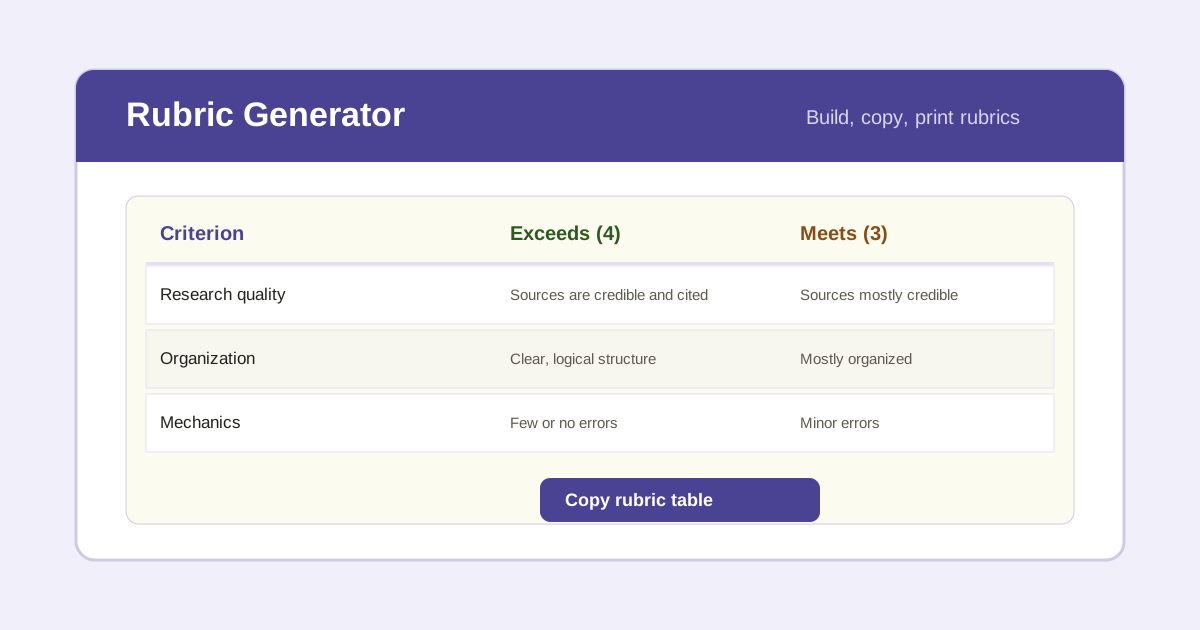
Set the assignment, choose the criteria that matter, and the generator lays out a point-scale table with starter descriptors for each performance level. Edit any cell in place, then copy the table into a doc or print it straight from the page.
Pick a template to load matching criteria, then refine titles and points.
Check the criteria to include. Uncheck to drop a row.
It turns an assignment type and a set of criteria into a point-scale table, with a starter descriptor in every performance-level cell that you can edit in place.
A 1 to 4 scale fits most classroom work, while 1 to 5 gives room for a clear advanced tier. Match the point weight to how much each criterion should drive the grade.
Descriptors are editable starters, not rules. Tune the wording, weights, and expectations to your class, standards, and school policy before you publish or grade with the rubric.
List the criteria you are grading, decide on a performance scale such as 1 to 4, write a short descriptor for each level of each criterion, and assign points. This generator lays out that table and fills in starter descriptors you can edit.
A 1 to 4 scale is common for classroom work because it has no neutral middle. A 1 to 5 scale adds a clear advanced tier and a middle option. Match the scale to how finely you want to separate performance.
Yes. Every performance-level descriptor is editable. Click a cell in the table and type to rewrite it to fit your assignment, class level, and standards before you copy or print.
Total points equal the number of checked criteria times the points per criterion. Change the points per criterion or uncheck criteria and the total updates automatically.
Yes. Choose the project, presentation, or lab report template to load matching criteria. You can then edit titles and descriptors for any assignment type.
Sharing the rubric up front is a best practice because it shows students exactly how work is scored. Print or copy the finished table and hand it out with the assignment.